ENA SmartUC3.21.24 - App Store
You'll be able to see results in few seconds.
Publisher Description
ENA SmartUC is a unified communications app that integrates cloud calling, video conferencing, messaging, and collaboration features all into one seamless platform. Designed for today’s modern and mobile workforces, ENA SmartUC delivers the unified features and functionality organizations need to operate virtually and collaborate from anywhere via a single easy-to-use cloud app.
**Requires ENA SmartVoice Service**
FEATURES - available features are dependent upon feature package and organization preferences
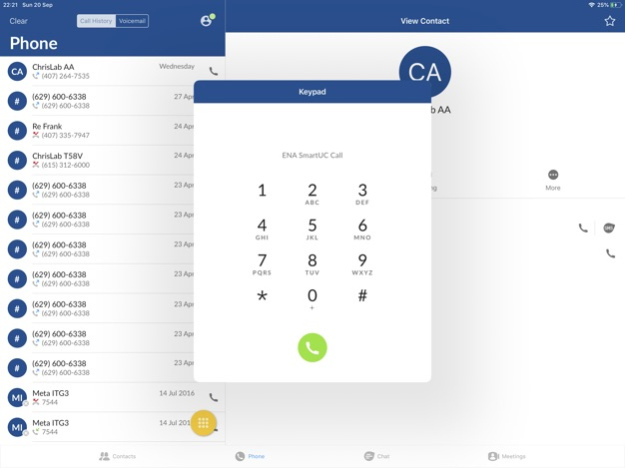
Cloud Calling
ENA SmartUC provides mobility at your fingertips for wherever work takes you.
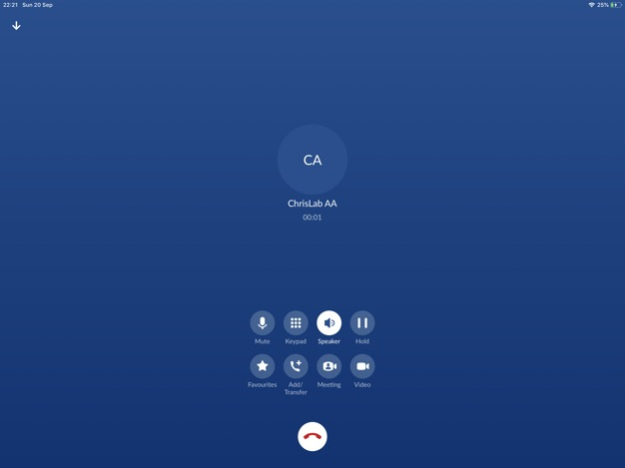
. Make and receive HD voice calls over Wi-Fi/LTE/4G using your desk phone number
. Move calls between your desk phone, mobile and tablet devices, without hanging up
. Add video to your calls
. Receive new voicemail alerts
. Playback voice and video messages
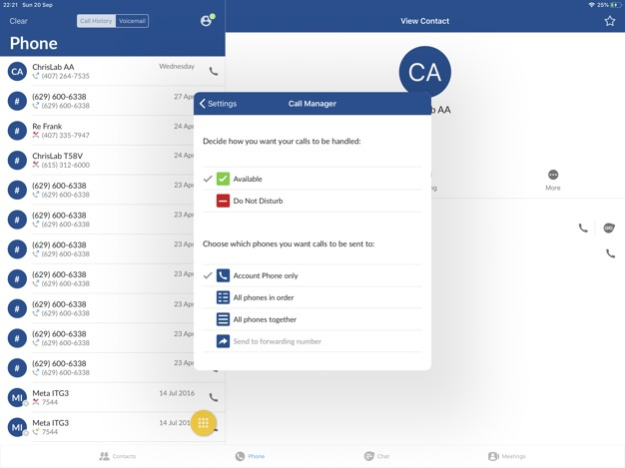
. Control how incoming calls are handled
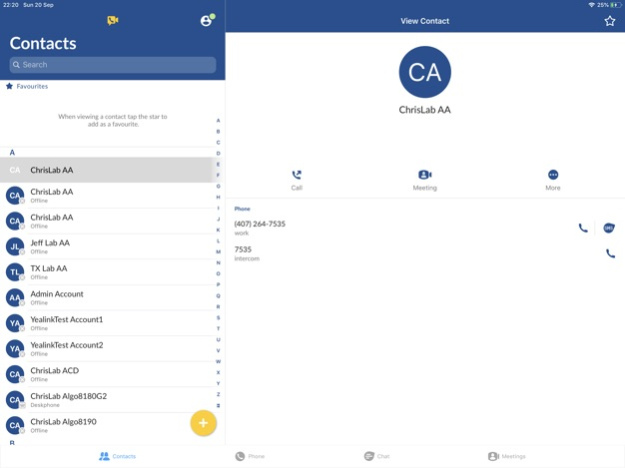
. Sync your ENA SmartVoice contacts across devices
Messaging
Foster continuous collaboration across your organization with ENA SmartUC’s chat, presence, and SMS messaging.
. 1:1 and group chat enables staff, departments, and teams to collaborate instantly
. Share files and start video or audio calls directly from chat
. Quickly see if colleagues are available, away, or in a meeting with integrated presence synced across all devices
. Send and receive text (SMS) messages from your professional number
Online Meetings
Empower staff with ENA SmartUC Meet virtual meeting rooms for greater collaboration and improved productivity. Anyone invited to a meeting can download the app and join the meeting for free.
. Instantly start, schedule, or join HD interactive video meetings on any device from any network
. Personalize your meeting experience with customizable meeting URLs
. Join meetings using computer and/or dial-in audio
. Screen share, file share, whiteboard, annotate, and more
. Record meetings locally
Version History Stability improvements 3.21.24 02/04/2025 Fixes for:
- Crash seen especially on start-up
- Unable to forward voicemails
- End and accept new call can result in Music On Hold
- Crash when playing videos in file transfer video preview 3.20.21 12/15/2023 - New privacy focused settings
- You can now choose whether to accept or block new external chat contacts
- Initial support for new OS versions
- iOS 17
- Bug fixes and stability improvements 3.20.13 11/15/2023 - Fixed rare crash while loading contacts.
- Other performance and stability improvements. 3.11.41 10/05/2023 - Bug fixes
- Security improvements
- Performance improvements 3.11.30 06/08/2023 - Bug fixes
- Security improvements
- Performance improvements 3.10.21 01/24/2023 - Bug fixes
- Security improvements
- Performance improvements 3.10.12 11/28/2022 - Bug fixes
- Security improvements
- Performance improvements 3.02.30 09/27/2022 In the V3.02 update to ENA SmartUC, we've added:
- Unattended (blind) call transfer support.
- Security improvements.
- Bug fixes.
- For the past year we have focused on making our ENA SmartUC app more accessible. Important enhancements like supporting landscape mode, large font size and full screen reader support means that V3.02 is our first to meet the WCAG 2.1 AA accessibility guidelines. This is an important milestone that helps us to support all our users, no matter their access needs. 3.02.20 06/30/2022 - Bug fixes
- General App improvements 3.0.31 03/30/2022 - A new Call Rating screen after VoIP call
- The ability to send a follow-up email for problem reports
- The ability to start Instant Messaging from VoIP call
- The ability to send location for E911 calls (Ray Baum's act)
- Improved security 3.0.15 01/18/2022 - Squashed some bugs 2.34.31 10/26/2021 - Support for large text size
- Support for landscape orientation for iPhone
- Support for dark mode (iOS 13+)
- Manual settings refresh
- MLHG Login/Logout Fix 2.34.14 09/28/2021 - Squished some bugs 2.33.41 08/16/2021 - Squished some bugs 2.33.30 06/30/2021 - Require password when updating security email
- Forwarding voicemail messages without email
- Updated Meeting functionality
- GCM encryption in SmartUC Meeting
- Improve file error messages
- Hiding SmartUC Caller ID from iOS Call History
- Support for redundancy 2.33.12 05/03/2021 - Squashed some bugs 2.32.15 03/31/2021 - iOS 14 optimizations
- Accessibility improvements
- Improved contrast ratios for easier reading
- More buttons have descriptions when using VoiceOver
- Updated Meeting functionality
- Off-Switch Business Group contacts
- Cypriot Greek language support 2.32.10 01/28/2021 - Bug fixes and stability improvements 2.31.16 11/12/2020 ENA SmartVoice Go is now ENA SmartUC! New app name, same reliable mobile audio and video calling.
In addition to a brand new look and feel, this latest version has been updated with new optional features* including instant messaging and presence, SMS text messaging, and ENA SmartUC Meet video conferencing for unified communications and collaboration.
*Available features for each user are dependent on ENA SmartVoice package and your organization’s preferences 2.31.13 10/08/2020 - General fixes and enhancements. 2.31.09 07/07/2020 Updated Meeting email template to match branding. 2.31.06062 06/05/2020 General fixes and enhancements 2.31.06 05/27/2020 - General fixes & enhancements
- Added SmartVoice Go Chat/Presence functionality for users with supporting packages
- Added SmartVoice Go Meeting functionality for users with supporting packages 2.31.04 04/28/2020 - Bug fixes & general enhancements 2.30.11 02/11/2020
About ENA SmartUC
The company that develops ENA SmartUC is Education Networks of America, Inc. The latest version released by its developer is 3.21.24.
To install ENA SmartUC on your iOS device, just click the green Continue To App button above to start the installation process. The app is listed on our website since 2026-10-14 and was downloaded 0 times. We have already checked if the download link is safe, however for your own protection we recommend that you scan the downloaded app with your antivirus. Your antivirus may detect the ENA SmartUC as malware if the download link is broken.
How to install ENA SmartUC on your iOS device:
- Click on the Continue To App button on our website. This will redirect you to the App Store.
- Once the ENA SmartUC is shown in the iTunes listing of your iOS device, you can start its download and installation. Tap on the GET button to the right of the app to start downloading it.
- If you are not logged-in the iOS appstore app, you'll be prompted for your your Apple ID and/or password.
- After ENA SmartUC is downloaded, you'll see an INSTALL button to the right. Tap on it to start the actual installation of the iOS app.
- Once installation is finished you can tap on the OPEN button to start it. Its icon will also be added to your device home screen.
Program Details
System requirements
Download information
Pricing
Version History
version 3.21.24
posted on 2026-10-14
Version History Stability improvements 3.21.24 02/04/2025 Fixes for:
- Crash seen especially on start-up
- Unable to forward voicemails
- End and accept new call can result in Music On Hold
- Crash when playing videos in file transfer video preview 3.20.21 12/15/2023 - New privacy focused settings
- You can now choose whether to accept or block new external chat contacts
- Initial support for new OS versions
- iOS 17
- Bug fixes and stability improvements 3.20.13 11/15/2023 - Fixed rare crash while loading contacts.
- Other performance and stability improvements. 3.11.41 10/05/2023 - Bug fixes
- Security improvements
- Performance improvements 3.11.30 06/08/2023 - Bug fixes
- Security improvements
- Performance improvements 3.10.21 01/24/2023 - Bug fixes
- Security improvements
- Performance improvements 3.10.12 11/28/2022 - Bug fixes
- Security improvements
- Performance improvements 3.02.30 09/27/2022 In the V3.02 update to ENA SmartUC, we've added:
- Unattended (blind) call transfer support.
- Security improvements.
- Bug fixes.
- For the past year we have focused on making our ENA SmartUC app more accessible. Important enhancements like supporting landscape mode, large font size and full screen reader support means that V3.02 is our first to meet the WCAG 2.1 AA accessibility guidelines. This is an important milestone that helps us to support all our users, no matter their access needs. 3.02.20 06/30/2022 - Bug fixes
- General App improvements 3.0.31 03/30/2022 - A new Call Rating screen after VoIP call
- The ability to send a follow-up email for problem reports
- The ability to start Instant Messaging from VoIP call
- The ability to send location for E911 calls (Ray Baum's act)
- Improved security 3.0.15 01/18/2022 - Squashed some bugs 2.34.31 10/26/2021 - Support for large text size
- Support for landscape orientation for iPhone
- Support for dark mode (iOS 13+)
- Manual settings refresh
- MLHG Login/Logout Fix 2.34.14 09/28/2021 - Squished some bugs 2.33.41 08/16/2021 - Squished some bugs 2.33.30 06/30/2021 - Require password when updating security email
- Forwarding voicemail messages without email
- Updated Meeting functionality
- GCM encryption in SmartUC Meeting
- Improve file error messages
- Hiding SmartUC Caller ID from iOS Call History
- Support for redundancy 2.33.12 05/03/2021 - Squashed some bugs 2.32.15 03/31/2021 - iOS 14 optimizations
- Accessibility improvements
- Improved contrast ratios for easier reading
- More buttons have descriptions when using VoiceOver
- Updated Meeting functionality
- Off-Switch Business Group contacts
- Cypriot Greek language support 2.32.10 01/28/2021 - Bug fixes and stability improvements 2.31.16 11/12/2020 ENA SmartVoice Go is now ENA SmartUC! New app name, same reliable mobile audio and video calling.
In addition to a brand new look and feel, this latest version has been updated with new optional features* including instant messaging and presence, SMS text messaging, and ENA SmartUC Meet video conferencing for unified communications and collaboration.
*Available features for each user are dependent on ENA SmartVoice package and your organization’s preferences 2.31.13 10/08/2020 - General fixes and enhancements. 2.31.09 07/07/2020 Updated Meeting email template to match branding. 2.31.06062 06/05/2020 General fixes and enhancements 2.31.06 05/27/2020 - General fixes & enhancements
- Added SmartVoice Go Chat/Presence functionality for users with supporting packages
- Added SmartVoice Go Meeting functionality for users with supporting packages 2.31.04 04/28/2020 - Bug fixes & general enhancements 2.30.11 02/11/2020
version 3.21.24
posted on 2025-02-04
Feb 4, 2025
Version 3.21.24
Stability improvements
version 3.21.24
posted on 2025-02-04
Stability improvements
version 3.20.21
posted on 2023-12-15
Dec 15, 2023
Version 3.20.21
Fixes for:
- Crash seen especially on start-up
- Unable to forward voicemails
- End and accept new call can result in Music On Hold
- Crash when playing videos in file transfer video preview
version 3.20.13
posted on 2023-11-15
Nov 15, 2023
Version 3.20.13
- New privacy focused settings
- You can now choose whether to accept or block new external chat contacts
- Initial support for new OS versions
- iOS 17
- Bug fixes and stability improvements
version 3.11.41
posted on 2023-10-05
Oct 5, 2023
Version 3.11.41
- Fixed rare crash while loading contacts.
- Other performance and stability improvements.
version 3.11.30
posted on 2023-06-08
Jun 8, 2023
Version 3.11.30
- Bug fixes
- Security improvements
- Performance improvements
Disclaimer
Official App Store Link
We do not host ENA SmartUC on our servers. We did not scan it for viruses, adware, spyware or other type of malware. This app is hosted by Apple and passed their terms and conditions to be listed there. We recommend caution when installing it.
The App Store link for ENA SmartUC is provided to you by apps112.com without any warranties, representations or guarantees of any kind, so access it at your own risk.
If you have questions regarding this particular app contact the publisher directly. For questions about the functionalities of apps112.com contact us.